


This post was originally published on here
Follow ZDNET: Add us as a preferred source on Google.
ZDNET’s key takeaways
- Samsung’s Trips feature builds an itinerary from wallet entries.
- The feature is exclusive to Galaxy users.
- Google Wallet is missing a similar option to organize your trip.
Samsung Wallet just dropped a major feature that’ll make you jealous if you use Google Wallet, especially if you travel often or have a big trip planned.
Also: Samsung is ending Messages in July: 5 replacements I’d switch to now
To this point, Samsung’s native wallet app and Android’s built-in wallet app have been so similar that most users probably default to Google Wallet because of name recognition. That might be changing soon, though, as Galaxy users are getting a big reason to use the Samsung app.
Trips
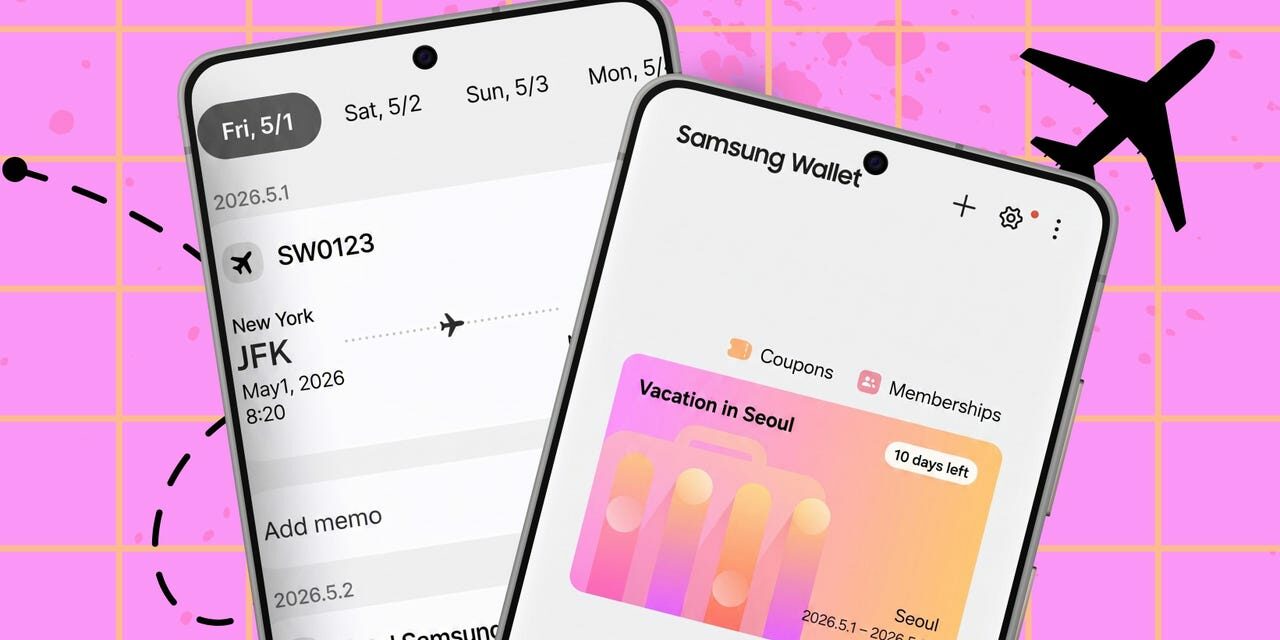
In an effort to make its wallet app more than just a place to store cards, Samsung has introduced Trips — a feature that takes all of your travel-related items you’ve added to your wallet, such as hotel reservations, flight itineraries, car rentals, transit tickets, and experiences like museums, theme parks, and sporting events, and automatically organizes them into a single itinerary view, with entries grouped together based on time and location.
Also: My new favorite AirTag alternative fits perfectly in my wallet – and is seriously durable
Instead of having to sort through your tickets to see when you need to head to certain places, Samsung says you’ll now have everything on one page, visible at the time you need it. Time-specific items will be grouped together, as will location-specific items. When you add travel-related items to your wallet (you can manually add items that don’t have an option of their own), you’ll have the option to add a memo beside each one.
Immensely useful
While there are plenty of apps that let you build an itinerary (I subscribed to one for my meticulously planned trip to New York City a few years ago), this is a pretty big perk for Galaxy users since there’s nothing like this built into Android. This is an immensely useful feature if you’re planning a busy trip in an unfamiliar area. Google Wallet lets you download all of these same items to your device for easy access, but it doesn’t do any organizing. If you pay for a third-party app, you still need to go through and add all of your tickets.
Also: Why I recommend this $450 Samsung phone over competing models by Google and OnePlus
Samsung says this feature will be rolling out in April on compatible Samsung Galaxy mobile phones, so if you don’t already see it on your phone, you should soon.